Which app is slowing your Mac down?
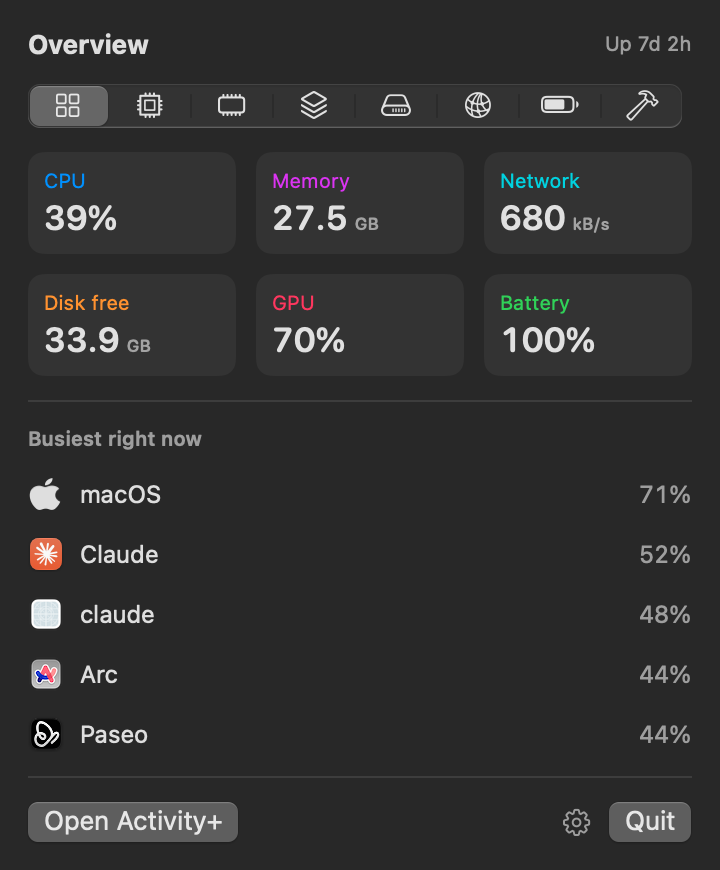
Your Mac runs about 900 processes. Activity+ folds them into the 80 or so apps you actually know, keeps 30 days of history, and tells you in plain words what to do about it.
Free, for Apple silicon Macs with macOS 15 or later. Notarized by Apple.
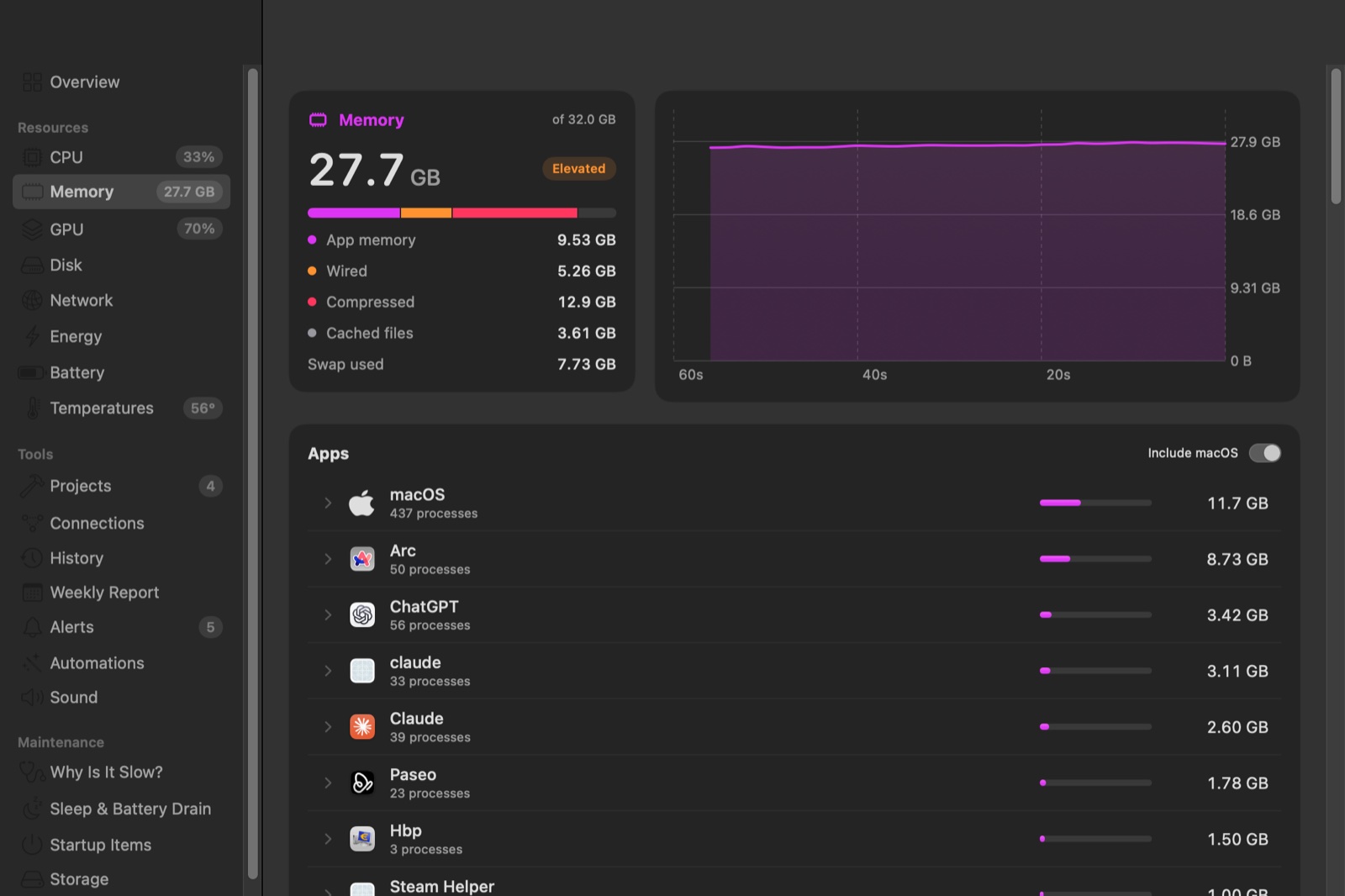
What is using my memory?
Chrome's helpers, VS Code's plugins and the node you started in Terminal each count toward the app they belong to. Activity+ uses the same information macOS uses for permission prompts, so one row is one app, and the number next to it is the whole story.
- CPU per app and per core, with each cluster's clock speed
- Memory, pressure, swap and compression
- GPU time per app, straight from the graphics driver
- Energy in watts, measured by the kernel rather than estimated
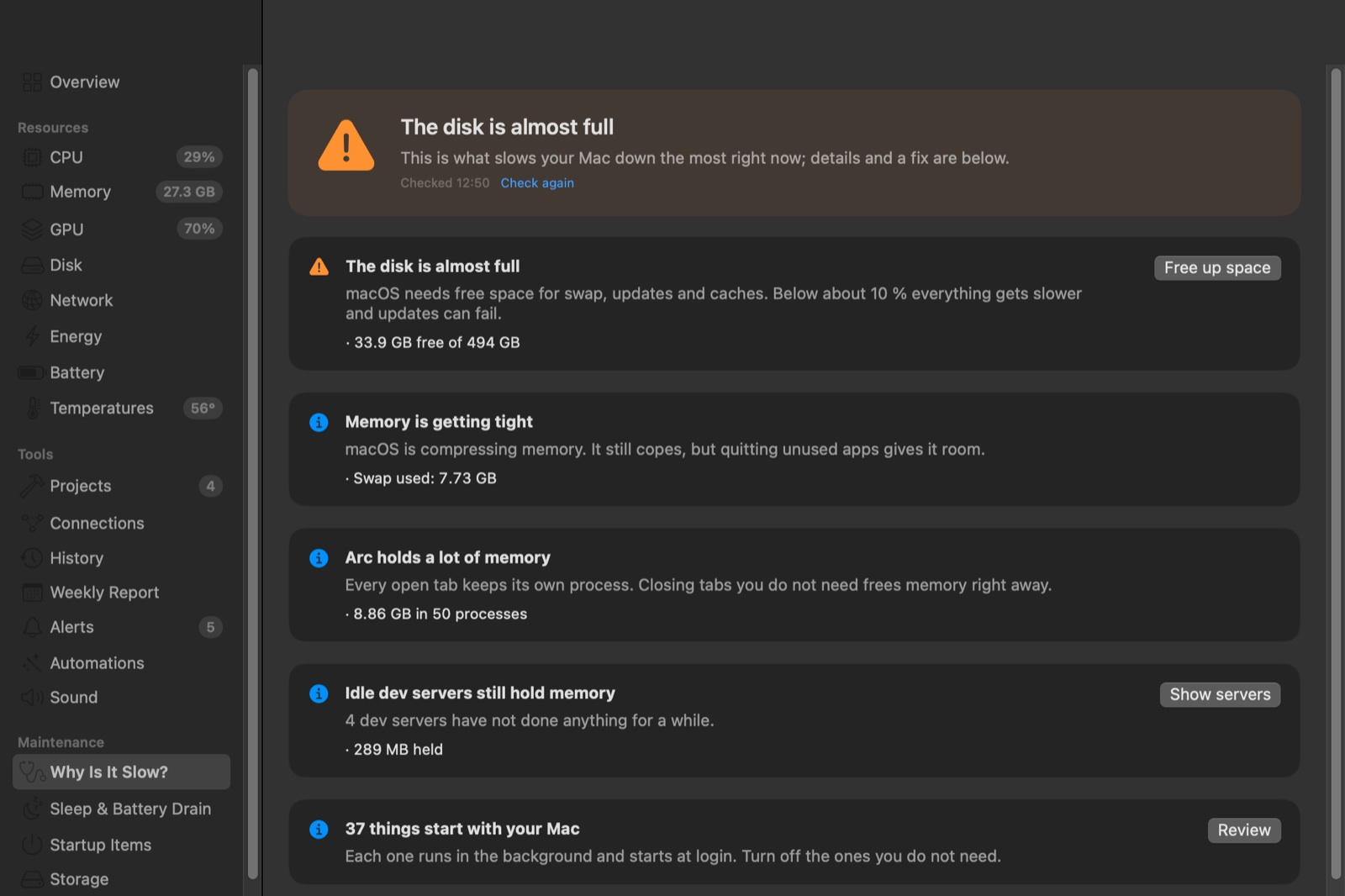
Why is my Mac slow right now?
One click gives you a verdict you can act on. Not enough memory, an app running flat out, a disk that is nearly full, heat, Spotlight indexing, dev servers you forgot. Each finding shows the numbers behind it and a button for the fix.
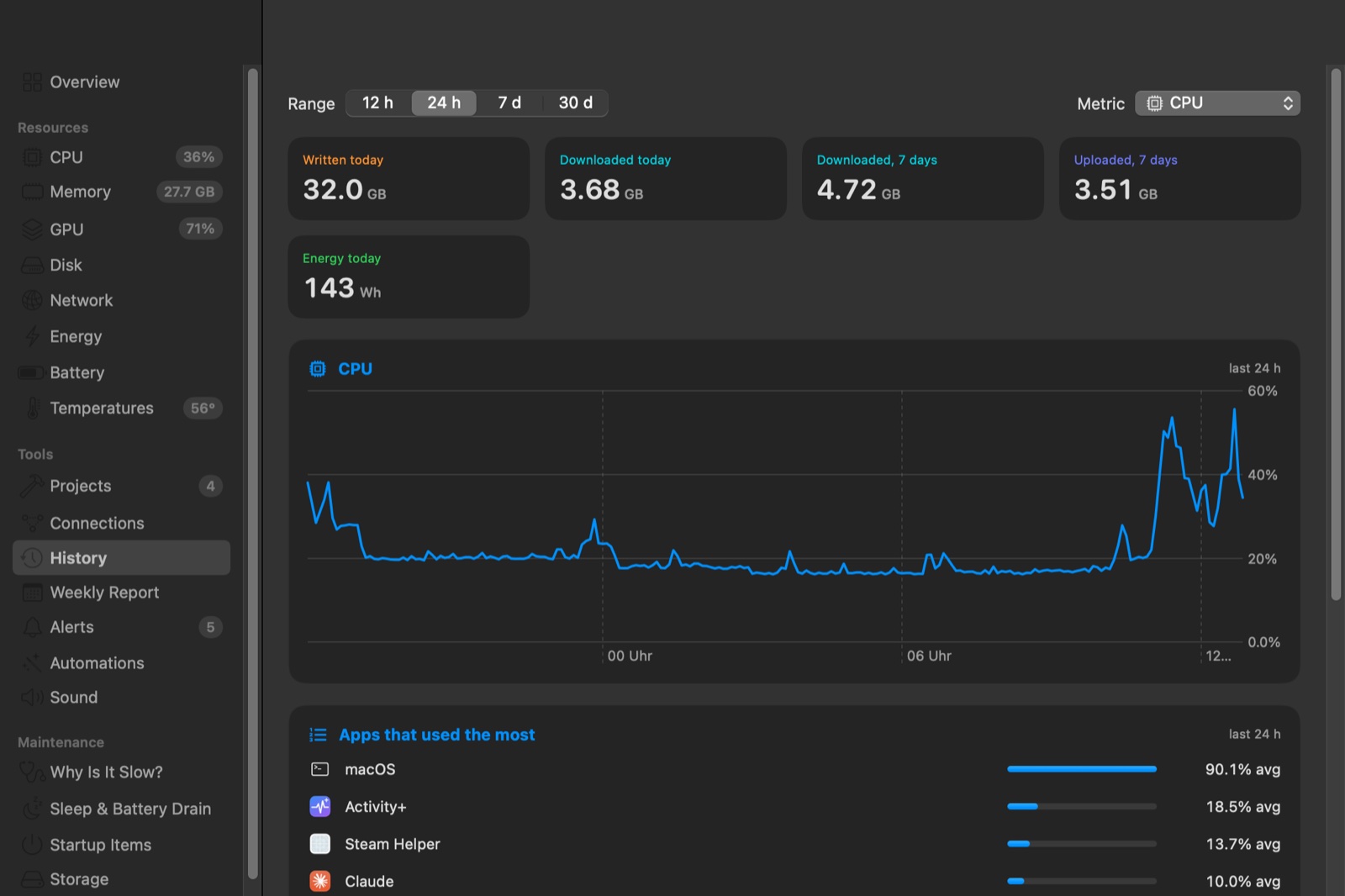
What happened while I wasn't looking?
Thirty days of history in one small file on your Mac. Alerts when an app keeps the CPU busy, keeps growing in memory or freezes. Activity+ learns what is normal for each app, so it can tell you that Slack uses three times its usual memory today. Every Monday, a short report on the week.
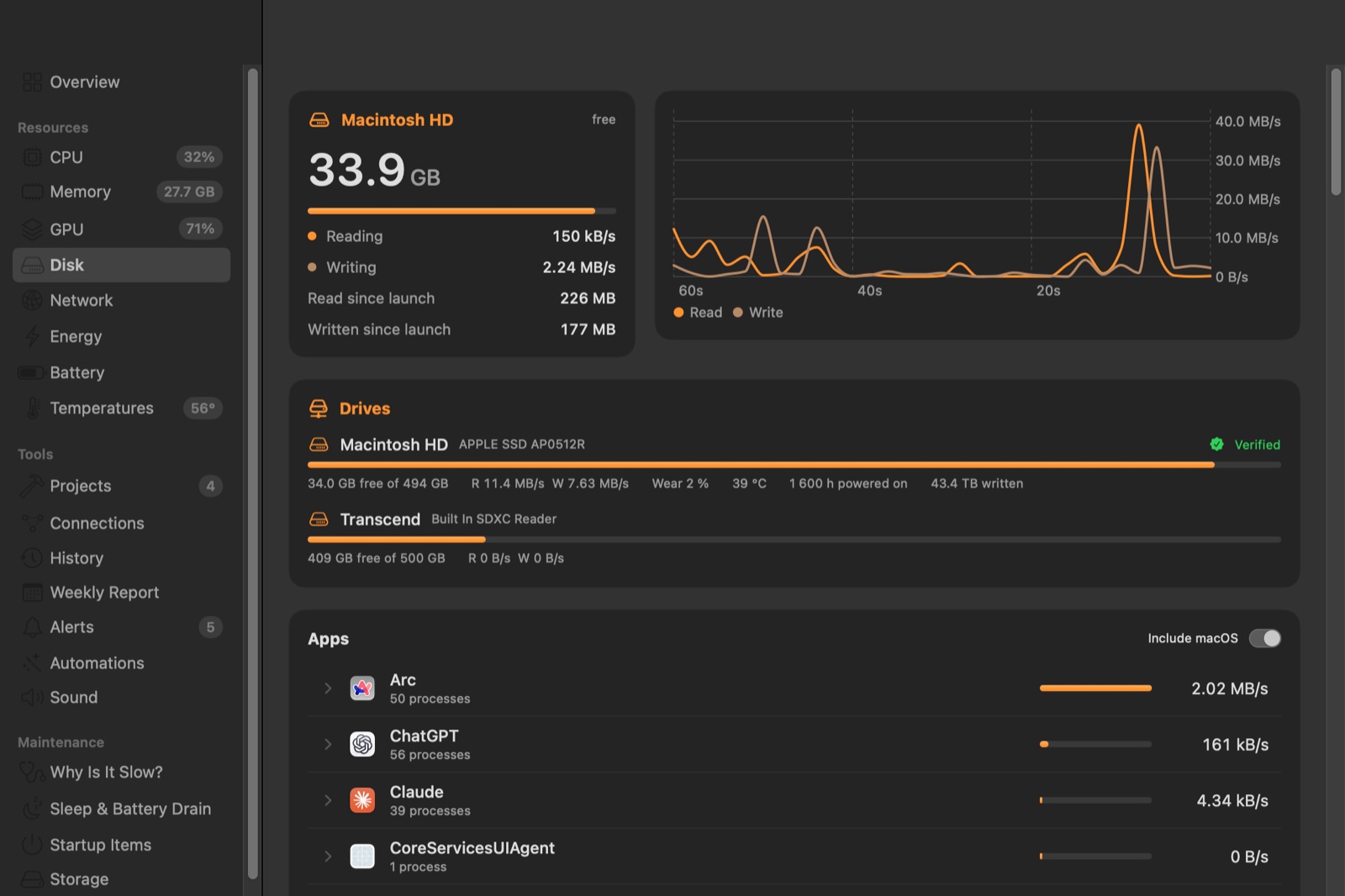
Is my hardware okay?
Every drive with its SMART status, wear, temperature and terabytes written. Hundreds of temperature, voltage, current and power sensors. Fans, battery health, charge cycles, and the batteries in your AirPods and Magic Mouse.
A menu bar you build yourself.
Add as many items as you like. Each one shows one thing in one of eleven styles, in the menu bar's own color or from green to red as the load rises. Try it:
Which dev server is still running?
Activity+ groups the servers you started by project folder, with their ports, memory and how long they have been idle. Stop the one from last week with one confirmed click.
Your AI agents can ask too
aplus mcp is a read-only MCP server with seven tools: overview, top apps, an app's processes, diagnosis, dev servers, history and startup items.
claude mcp add activity-plus -- "/Applications/Activity+.app/Contents/Resources/aplus" mcpProjects 4322 storefront astro preview up 5 days, barely used 8000 scraper-api uvicorn main:app idle 3 h 5173 docs vite working › why is my Mac slow? ● The disk is almost full: 34 GB free of 494 GB. ● Arc holds 8.9 GB in 50 processes.
Also inside
- Startup items
- Everything that starts with your Mac, grouped by app, with switches.
- Storage by app
- How much each app really takes, including its Library folders. Uninstall an app with its leftovers.
- Large and old files
- Installers you already used, downloads you never opened again, very large files.
- Disk speed test
- How fast your SSD writes and reads, measured past the cache.
- Panel editor
- Pick the tiles of the menu bar panel, their order and a theme.
- Sleep and battery drain
- What keeps your Mac awake, what woke it up, which apps drained the battery unplugged.
- Process inspector
- Command line, folder, parent, code signature, open files and connections of any process.
- Connections
- Which servers each app is talking to right now.
- Automations
- Stop idle dev servers, quit an app over 4 GB. Every rule asks first unless you allow it not to.
- Performance switches
- Turn off anything you don't need. With only the menu bar open, Activity+ uses about 1.4 % of one core.
- Share card
- A 1200 × 630 picture of your Mac's state, light or dark.
What you run stays on your Mac.
No account. There is nothing to sign in to.
No analytics. Activity+ does not report what you run, when or for how long.
One network request. A daily update check, which you can turn off. Your public IP and host names are only looked up when you ask.

Activity+ 0.2.2
Free, for Macs with Apple silicon and macOS 15 Sequoia or later. Notarized by Apple, updates itself.
Download Activity+ (4.7 MB)Unzip, move Activity+ to Applications and open it. SHA-256 05d0e1b2c73b133db2e6ace160ff84099b5ffe093caa7b59c6e4f02e8cec9d9a
Per-app volume, freeze detection and accessory batteries are marked beta.